Hiding income and expense categories
Every financial transaction in HelloClient is linked to a specific income or expense category.
If some categories are not used, you can hide them to make the list shorter and clearer when creating manual payments.
They are not deleted and do not affect existing transactions.
The full list of categories is available in Settings → Cash Flow Categories.
How to hide a category
Section titled “How to hide a category”-
Go to Settings → Cash Flow Categories.
-
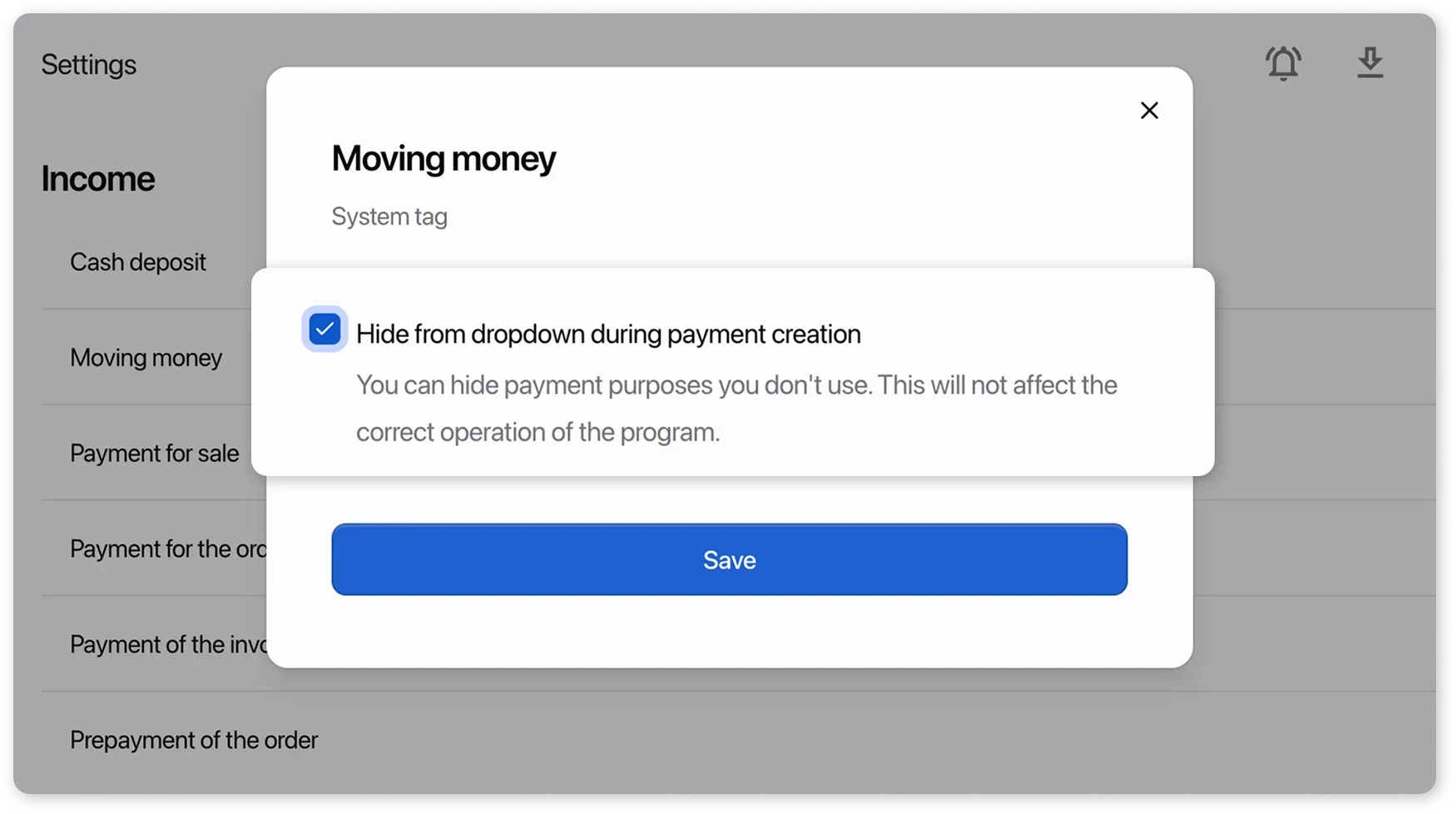
Open the card of the required category and enable the checkbox:
“Hide from the dropdown during payments creation”.
-
Save the changes.
The category will be hidden from the selection list when:
- creating an internal expense
- manually adding income or expense in the Payments section
How category hiding works
Section titled “How category hiding works”Automatically recorded payments:
- Order and sale payments
- Prepayments
- Refunds for orders, sales, and prepayments
- Product purchases
- Supplier payments
- Salary payments
Example:
You hide the “Payment for the order” category — it disappears from the manual payment selection list.
When an order is paid, a payment with this category will still appear in the Payments section.
You hide the “Return of order” category — it is no longer visible when creating a manual payment.
When an order refund is processed, the payment will automatically appear in the Payments section.