Payment for the program
Frequently Asked Questions
Section titled “Frequently Asked Questions”Where can I see the number of paid license days?
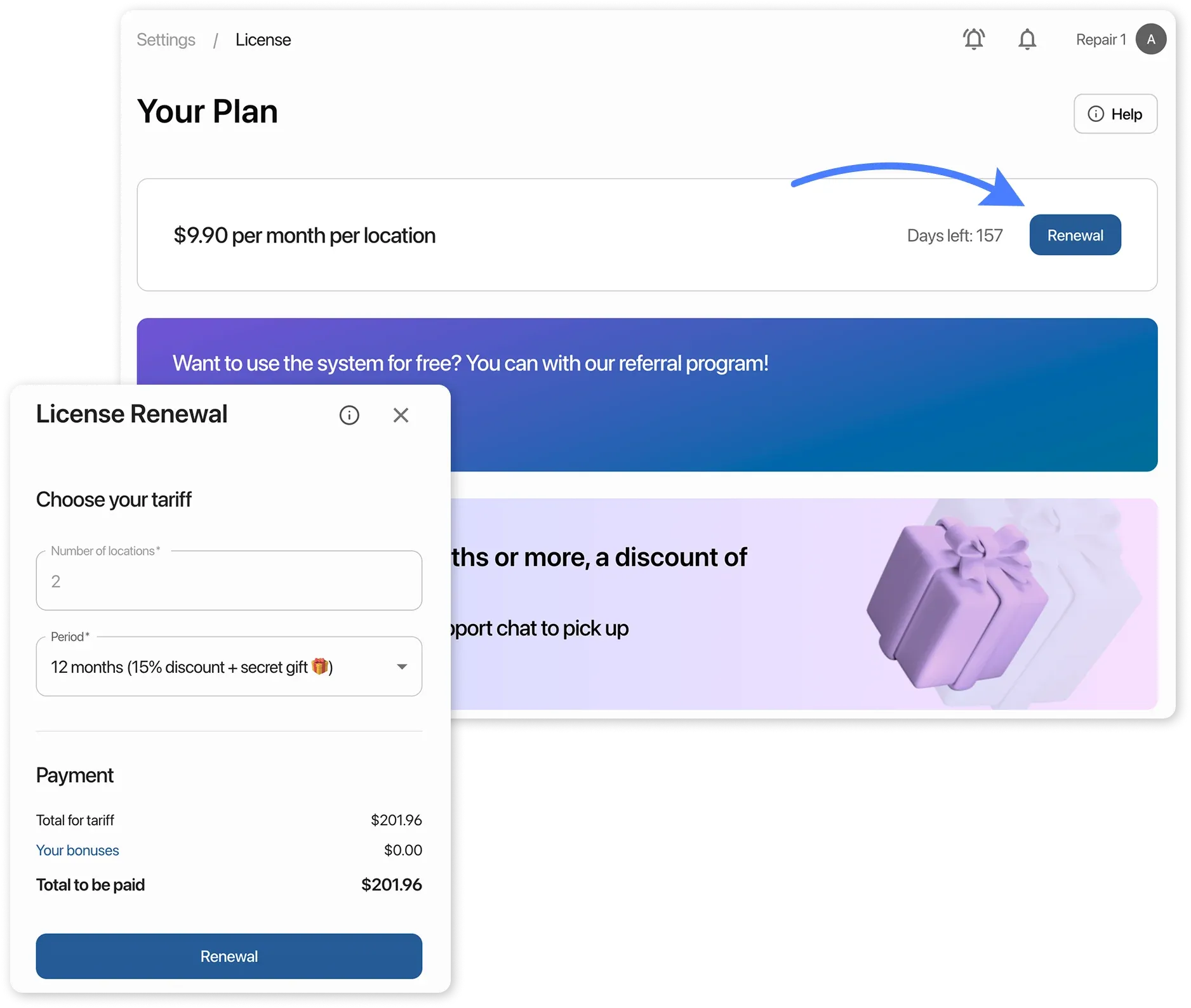
Go to “Settings” → “Buy alicense”. Next to the renewal button, you will see the number of paid days displayed as “Days left: …”.
You can pay for your HelloClient subscription using any card: Visa, Visa Electron, Mastercard or Maestro.
Payment invoices are not available.
How to Pay?
Section titled “How to Pay?”- Go to Settings → Buy a license
- Choose your preferred subscription period
- Click Renewal and enter your card details
After Payment:
Section titled “After Payment:”You’ll receive a login link and payment confirmation via email. Save these details for your records.