Product Import
HelloClient supports importing products from Excel and CSV files
Frequently Asked Questions
Section titled “Frequently Asked Questions”Error: “Canceling statement due to statement timeout”
- Maximum rows per file: 1000
- Solution: split file into multiple parts (max 1000 rows per file)
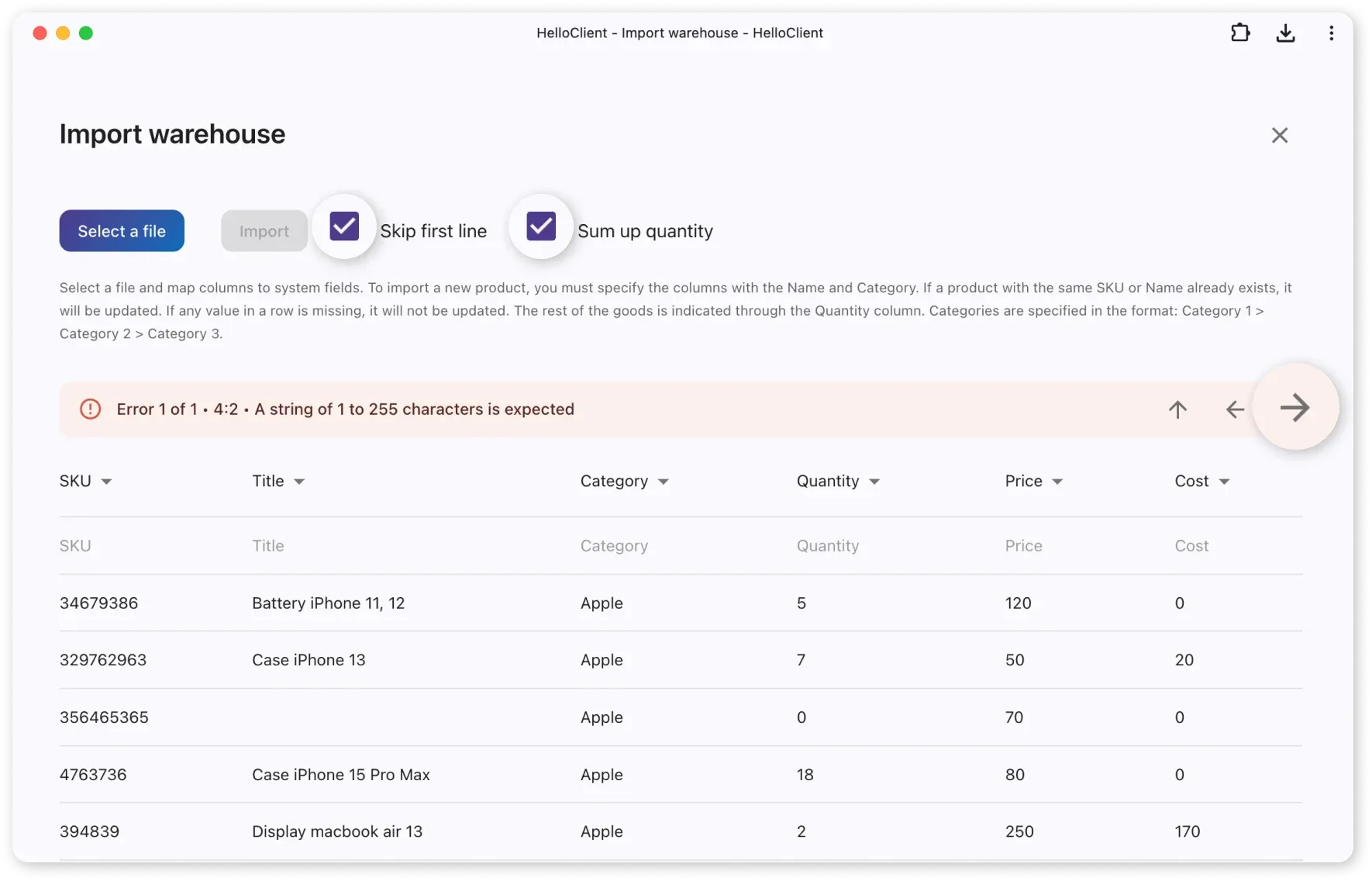
Error: “Expected string length between 1-255 characters”
This error occurs due to empty lines in the file.
- Click the arrow
→next to the error message - The system will automatically highlight the row requiring completion
Product Import
Section titled “Product Import”What should the file contain?
Section titled “What should the file contain?”-
Mandatory columns:
Name- product nameCategory- hierarchy using>with spaces:Example: Glass > gloss > iPhone > 14Pro
-
Optional columns:
- SKU
- Quantity
- Price
- Cost price
Uploading Files to HelloClient
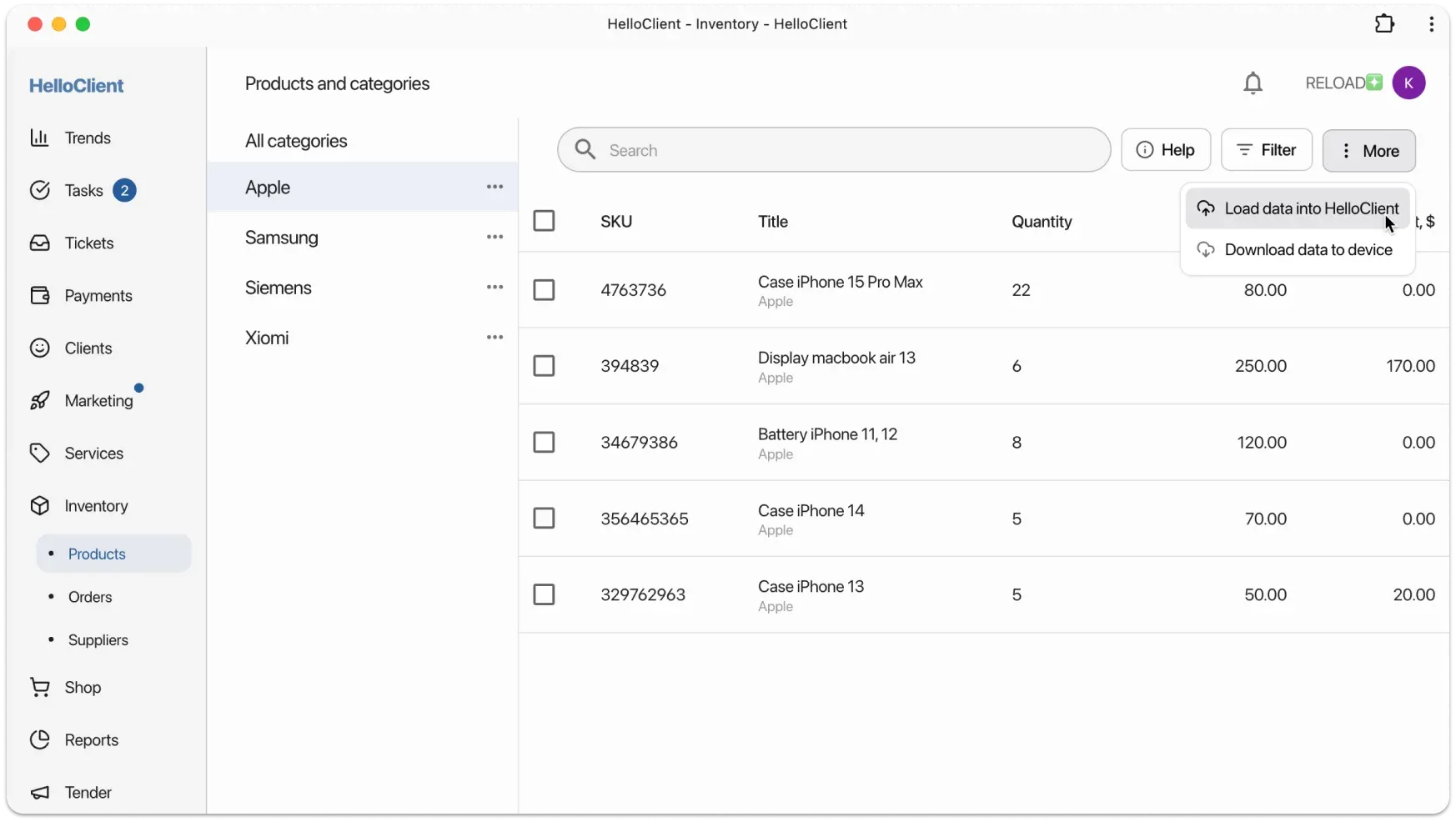
Section titled “Uploading Files to HelloClient”- Go to «Inventory → Products
- Click More → Upload Data to HelloClient
- Select file via Choose File
- Map file fields to program fields

Key Settings:
- Skip First Row - if file contains headers
- Sum Quantity - to consolidate stock levels
- Errors - click arrow → in red row to locate issue